Your golf sim,
in your hand.
SimPal turns your iPad or phone into a remote, a live screen and a smart caddie for your simulator. Every shot is captured automatically, with no extra hardware.
Everything your bay was missing
Stop walking to the keyboard. Stop squinting at the screen. SimPal puts the controls, the game and your numbers right where you're standing.
Full remote control
Aim, clubs, mulligans, flyovers, camera views, green reading and more. Every GSPro shortcut, one tap away.
Live View
See your game on the tablet and tap the screen to click inside GSPro. Menus, drops and the mini-map all become touch.
Automatic shot data
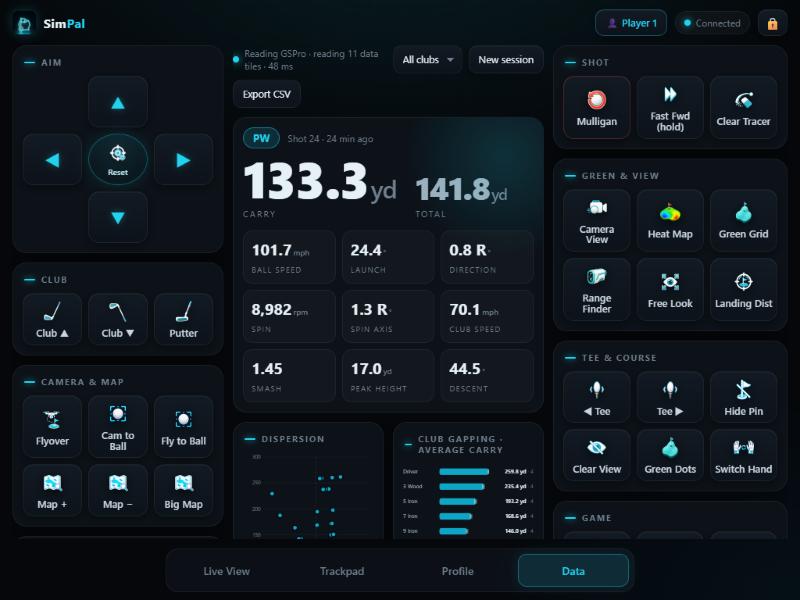
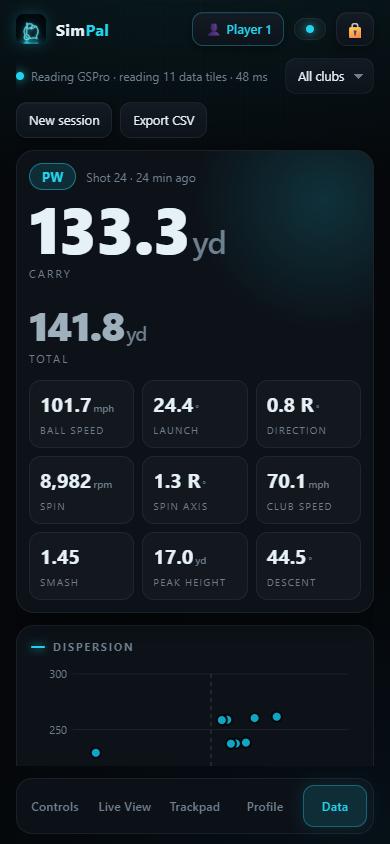
SimPal reads GSPro's data tiles after every shot: carry, ball speed, spin, launch and more, saved without lifting a finger.

Personal caddie
Knows the distance to the pin and how far you actually hit every club, then tells you which one to pull.

Stats & personal bests
Dispersion, club gapping, carry trends, rounds and records. Find out what's really happening in your game.

Shot replays
With Live View on, every shot is clipped automatically. Rewatch it on your tablet and keep your best ones forever.
Your numbers, the moment you hit.
No exporting, no spreadsheets. SimPal reads the shot straight off your GSPro screen and builds the picture as you play.
- Big, glanceable last-shot card
- Dispersion and club gapping charts
- Per-player profiles for everyone in the bay
- Export to CSV anytime
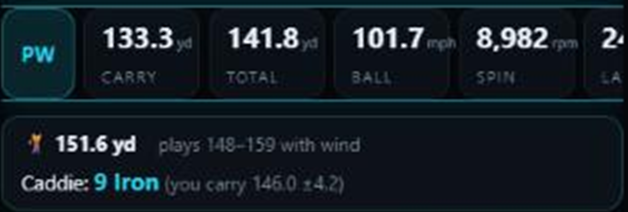
A caddie that knows your game.
Generic yardage charts don't know you. SimPal learns from every real shot, ignores the mishits, and tells you the club that actually gets you there.
- Distance to the pin, read live
- "Plays like" range when the wind is up
- Warns when GSPro's club suggestion doesn't match your numbers
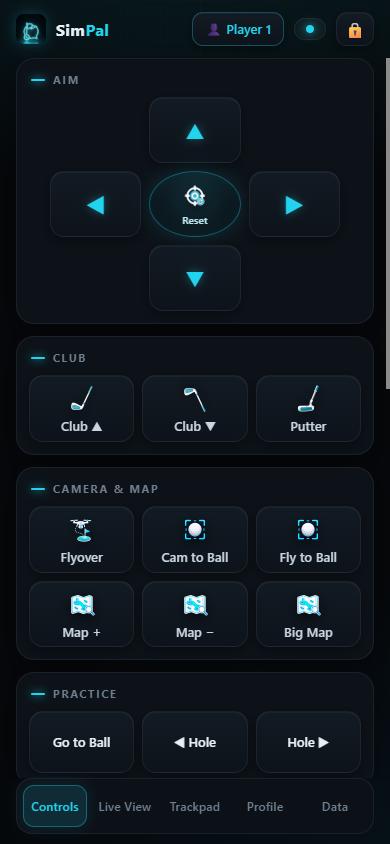
One hand. Every control.
Big, touch-friendly buttons designed for use between shots. Rearrange them, hide the ones you never use and pin your favourites.
- Hold-to-aim with smooth repeat
- Optional spoken shot callouts
- Admin tools locked behind a PIN
Set up in two minutes
No cables, no extra hardware, no changes to your launch monitor.
Install on your sim PC
Run the installer on the Windows PC that runs GSPro. SimPal starts quietly with Windows from then on.
Scan the QR code
Point your iPad or phone camera at the QR code SimPal shows. That's it, you're connected over your Wi-Fi.
Play
Control the game, watch it live and see every shot's numbers, all from the device in your hand.
Simple, one-time pricing
Try everything free, then unlock SimPal for good. The phone and tablet app is always free.
Free trial
- Every feature unlocked
- No card required
- Keep your data if you upgrade
SimPal Pro
- Lifetime license for one sim PC
- Unlimited players and devices
- All updates in version 1.x
- Email support
Questions, answered
Does it work with my launch monitor?
Yes. SimPal works with GSPro itself, not your launch monitor, so if your launch monitor works with GSPro, it works with SimPal: Uneekor, Foresight, Garmin, Rapsodo, SkyTrak and more.
What do I need?
A Windows 10 or 11 PC running GSPro, and an iPad, iPhone or Android device on the same Wi-Fi. Nothing else to buy or plug in.
Does it need the internet?
No. Everything runs on your home network between your sim PC and your device. Your shots and stats stay on your PC.
How does the shot data work?
SimPal reads the data tiles you've turned on in GSPro after each shot, the same numbers you see on screen, and saves them automatically. Turn on more tiles in GSPro to get more stats.
Is there an app in the App Store?
Today SimPal runs in your device's browser and can be added to your Home Screen like an app. Native iPhone/iPad and Android apps are on the way.
Is SimPal made by GSPro?
No. SimPal is an independent product built for GSPro players. It isn't affiliated with or endorsed by GSPro.

Make your sim feel pro.
Download SimPal and try every feature free for 14 days.
⬇ Download for Windows